 ZFS Administration ZFS Administration
Corey Brune
In June of 2006, Sun Microsystems released ZFS into
the Solaris Enterprise System -- also known as Solaris 10 6/06. It was
originally released to the public in OpenSolaris the previous year. ZFS is
a new file system and data management tool that provides a simple
command-line and Web interface. To date it is the most advanced file system
available.
ZFS is designed for demanding applications, where
scalability and performance issues are of the utmost importance. It is
POSIX compatible; therefore modifications are not needed for existing
applications or storage infrastructure. It will run on any hardware that
Solaris 10 operating system supports. The main features of ZFS are pooled
storage, data protection and correction features, data consistency on disk,
scrubbing, snapshots and clones, superior backup and restores, highly
scalable, and built-in compression. Although there are similar products
that manage data, what makes this product revolutionary is the ease of
management, availability, performance, and scalability.
Ease of Management
The ease of management results primarily in the
elimination of mundane tasks administrators perform each day. Automation is
built into ZFS. Since the storage pool manager is a built-in function, the
traditional volume manager is eliminated. The first step in using
ZFS is to create pool(s) and file system(s). ZFS allows the user to decide
whether to create a pool utilizing one slice or the entire disk.
Additionally, you will need to decide what type of RAID is best for your
requirements. The four types available are RAID-0, RAID-1 (mirror), RAID-Z,
and RAID-Z2. RAID-1 is two or more disks that contain exact copies of data.
As writes occur, both disks are modified creating the mirror effect.
Listing 1 shows an example of how to create a mirrored pool that manages
the entire disk.
Sun recommends that a pool utilize the entire disk so
that zpool(1M) will format and label the disk automatically. Otherwise, an
administrator will need to manually perform these functions. Creating a
pool automatically creates a file system mounted at /<poolname>. If
you wish, you may also create additional file systems (Listing 2).
Your second file system is now ready to use. Notice
that ZFS has eliminated the need to run newfs(1M) to prepare the file
system for use. The mount(1M) of the file system is automatic and requires
no additional steps. Additionally, there is no need to edit /etc/vfstab to
add the file system since ZFS handles this superfluous task as well.
To delete a pool and make the underlying devices
available for other uses, use the following command:
zpool destroy <pool name>
This will destroy everything that exists in the given
pool. You can specify the -f option if the pool contains mounted file
systems. This option will automatically unmount and destroy the underlying
file systems.
Similarly, you can delete a file system using the
following command:
zfs destroy <filesystem name>
To utilize NFS share options on a file system, use the zfs(1M) command. With other file systems you would edit /etc/dfs/dfstab,
enable the NFS server daemons, and share the file system. However, in ZFS
these steps are eliminated. The command is simply:
zfs set sharenfs=on
Please note that setting sharenfs=on will allow all
servers read and write access to the share.
Listing 3 shows a file system with no options and a
file system with share(1M) options. The share(1M) command displays all NFS
shared file systems.
If it is necessary to change the mount point for a
file system you will use the command:
zfs set mountpoint=<dir> <fs name>
The new mountpoint will automatically be created, the
file system unmounted and remounted to its new location, all automatically.
With ZFS, you simply express your intent, and the rest is taken care of by
the system.
There are two ways to import a ZFS file system into a
zone. One way is to create the file system in the global zone, run the zonecfg(1M) command, and add it to the local zone. However, there are
security ramifications with this approach. If a file system is mounted in
the global zone, an administrator could assign two zones to the same file
system. ZFS resolved this issue, which leads us to the second way to
import. After the file system is created, set the mountpoint=legacy (Listing 4).
This command specifies that the file system will not
be mounted in the global zone. Next, use the zonecfg(1M) command to add the
file system to a local zone (Listing 5).
If there is a need for another person, typically an
outside group, to manage a ZFS file system within a local zone, you will
need to run the command zonecfg(1M) to provide management access (Listing
6).
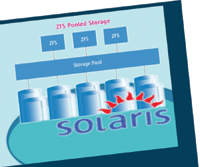
A unique feature of ZFS is pooled storage. Before ZFS,
an admin had to create a file system on a single disk or have a volume
group manage multiple devices. Both approaches have their drawbacks. ZFS
file systems are grouped together in a dynamically shared storage pool.
Users no longer need to use the command newfs(1M) to recalculate
parameters, recalculate stripe sizes, or manually grow file systems. This
results in an efficient file system that minimizes work time while
preserving the integrity of data. Once a device is allocated to a pool
(Listing 7), ZFS distributes IO evenly across all devices in the storage
pool.
Please note that with this feature, a file system can
consume all available disk space in a pool. To limit the amount of space,
you will need to set a quota (Listing 8).
As space requirements increase so will your need for
additional storage. The zpool(1M) command will add a disk to a pool
simplifying the process of allocating additional storage. Anytime a disk is
added or replaced to a mirrored or RAID-Z device, ZFS will re-silver.
Re-silvering copies data from the original device to the new device(s).
Please note that in the event a scrub is in process, re-silvering will be
deferred until the scrub has completed.
Similar to most volume managers, ZFS allows exporting
and importing of pools in order to move them between hosts. However, ZFS,
unlike the average volume manager, provides portability. A user can export
a pool from a SPARC system and import it onto a x64/x86 system without any
modifications. The command to export a pool is:
zfs export <pool name>
The command to import a pool is:
zfs import <pool name>
Availability
ZFS contains several data protection features. One
feature is Copy On Write (COW). When a write request is made, ZFS creates a
copy of the specified block. All modifications are then written to the
copy. The original block is kept until all changes are committed. When the
write is complete, pointers are re-routed to the new location. This ensures
that the on-disk copy is always valid, eliminating the need to fsck(1M) the
file system.
A second feature is the use of checksums for error and
data corruption detection. A checksum is a validation algorithm that is
performed during reads and writes. If an inconsistency is detected in the
data or metadata ZFS verifies the data and utilizes the checksum to compare
known good copies. Since calculations are performed at each node's
parent block to ensure integrity, ZFS relies on the checksum over the
corrupted data.
A third feature is RAID-Z and RAID-Z2, ZFS
data-protection and storage features. Since ZFS automatically corrects
corrupted data, you can now use inexpensive disks. These new RAID
redundancies utilize XOR and checksums for error detection. RAID-Z is
similar to RAID-5, and RAID-Z2 is similar to RAID-6. The exceptions are
that RAID-Z and RAID-Z2 do not suffer from the write hole issue, are
faster, and contain dynamically sized stripes (all disks are utilized at
each block and contain a separate RAID-Z stripe of differing sizes).
Similar to all other ZFS writes, if power is lost
during a full-stripe write the data is not lost since the changes have not
been committed.
To create a RAID-Z group, you must execute the zpool(1M) command. An example of this command is:
zpool mypool raidz c1t0d0 c2t0d0 c3t0d0
According to the zfs(1M) man page, there must be a
minimum of 2 drives in the RAID-Z configuration. They recommend 3-9 devices
per pool. Roch Bourbonnais' When to (and not to) use RAID-Z blog
entry addresses the performance considerations on when to utilize RAID-Z or
mirror.
Scrubbing is a fourth feature that is a unique
correction feature used to recover data from corruption. It reads and
compares checksums to identify errors. If a pool is protected with either
RAID-Z, RAID-Z2, or mirror, then scrubbing is automatically performed on a
single block when a checksum error is detected. The damaged data is
repaired before the process is returned to the application. If you are not
protected with the above features, an administrator can explicitly scrub a
pool (Listing 9) utilizing the command:
zpool scrub <pool name>
After a manual scrub is performed, any errors that are
detected (Listing 11) are visible after entering the command:
zpool status
Notice that at no point was the file system offline
during the data scrubbing. This is a valuable availability feature.
Once the administrator views the error status, the
pool must be cleared in order to eliminate device errors (Listing 10).
In the event of a silent disk failure, ZFS will notify
Solaris Fault Manager, which will in turn notify the administrator. If a
disk failure has occurred or a device needs to be replaced, an
administrator will replace the faulty drive and run the command:
zpool replace <pool name> <old disk> <new disk>
ZFS will automatically re-silver to populate the new
device with valid data.
A fifth feature is the use of clones and snapshots for
backups and restores. Clones are a read and write copies of a file system,
whereas snapshots are read only. An example of when to use a clone over a
snapshot is when you need a write copy of a file system to perform upgrades
or patches. One nice feature is that they do not consume large amounts of
storage since only blocks that differ between a snapshot and the live
version are stored. Any blocks that have not changed are shared between the
snapshot, any clones, and the live file system. You can create snapshots
(Listing 11) over a course of time and use the rollback feature (Listing
12) to restore to any of the images.
Notice in the above listing that the snapshot and
rollback function takes approximately 1 second.
With rollbacks, you can perform upgrades to
application, Web, or database servers without the worry of restore time and
extended outages. If an upgrade or patch doesn't take, simply run the zfs rollback command. Next, take a snapshot of the failed upgrade and send
it to a development or test server to research the failure. zfs send (Listing 13) and zfs receive (Listing 14) are commands that allow an
administrator to send or receive snapshots remotely.
To access a snapshot, use either of the following:
cd <filesystem name|volume name>/.zfs
ls <filesystem name|volume name>/.zfs
If a write copy is needed you will need to create a clone using the following command:
zfs clone <snapshot> <filesystem name>
To access a clone, you will need to refer to the file
system specified in the clone command.
When a snapshot or clone is no longer needed use the
follow command to delete and free up disk space.
zfs destroy <snapshot name>
Please note that you may wish to name snapshots by
date in order to organize, track, and retrieve them more efficiently.
Performance
With ZFS the I/O pipelining technique was introduced.
The pipeline's main responsibility is to execute I/O requests based
on interdependencies and priorities. Each I/O is assigned a deadline
predetermined by the pipeline. Another responsibility is compression. Once
enabled, compression can reduce the size of data up to 10 times. The unique
feature is that there is no significant performance degradation. In fact,
it may actually increase performance. There can be many reasons for
performance degradation. For example, if there are too many or too few
disks in a storage pool or if the record size does not match the database
block size, then performance may decrease. If performance degradation is
encountered, this command:
zpool iostat
will measure I/O performance and throughput on a per
vdev or per pool basis (Listing 15). Use the dtrace(1M) command if you
require deeper performance diagnostics.
When adding additional devices to a pool, ZFS
dynamically stripes at write time, which eases administration and boosts
performance. The user does not need to recalculate the stripe width after
adding additional devices to the pool. ZFS will automatically stripe data
across all available devices according to internal performance metrics.
Scalability
ZFS is the first file system to achieve 128 bits.
Unlike other file systems, ZFS in virtually unlimited by the amount of
storage it can handle. The scalability feature resides primarily in the
amount of disks, files, directories, and snapshots that are available to
the user. Additionally, ZFS uses dynamic metadata, which eliminates the
need to calculate inodes. If a file system requires an additional inode,
one is dynamically allocated. No more /usr/ucb/df -i.
Conclusion
Whether you use ZFS in the open source or enterprise
edition, it is a data management and file system tool that will aid in
productivity and job ease. I have listed select benefits and administration
commands that make this product unique from other data management products
on the market. For further information on ZFS, visit http://www.opensolaris.org.
I thank Jarod Jenson and Bill Moore for their
contributions.
Resources
http://blogs.sun.com/bonwick/entry/smokin_mirrors
http://opensolaris.org/os/community/zfs/docs/zfsadmin.pdf
http://opensolaris.org/os/community/zfs/source/
http://www.sun.com/bigadmin/features/articles/zfs_part1.scalable.html
http://blogs.sun.com/bill/entry/zfs_vs_the_benchmark
http://docs.sun.com/app/docs/doc/819-5461
http://blogs.sun.com/eschrock/entry/behind_the_scenes_of_zpool
http://blogs.sun.com/timc/
http://blogs.sun.com/roch/entry/when_to_and_not_to
http://blogs.sun.com/bonwick/date/20051118
Corey Brune is currently a Director of Systems and
Database Engineering in Plano, Texas. He has been a Unix Engineer for more
than 10 years, specializing in Systems Development, Networking,
Architecture, and Performance and Tuning. He can be contacted at mcbrune@gmail.com.
|