Network accounting can be used for various
reasons in a network, such as billing, metered hosting services,
troubleshooting, and cost calculations just to mention a few. At the lowest
level of any operating environment, you need an interface to the network
device(s) in order to capture and examine the network packets. This is not
the only way, however, and network devices such as switches can also
provide additional accounting tools through technologies such as NetFlow
[1].
There are open source-based tools available to provide
network packet-capturing capabilities directly from the network interface.
Libpcap is a commonly used packet-capturing library and is a dependency on
many popular front-end programs, such as tcpdump(8) and Ethereal. In this
article, I will look at the libpcap utility, the various front-ends that
depend on it, and how you can build a simple TCP/IP network accounting
system using these tools with a database and some handy Perl libraries.
From there on, the sky is the limit, and you can start building rather
complex network monitoring and intrusion detection systems as well.
I will assume most readers of this article are
familiar with general networking concepts and the protocol stacks like TCP
[2] and IP [3]. Knowledge of the OSI model [4] would also be helpful. In
this article, I will concentrate on layers 3 and 4 mainly, but all the
layers can play a part in a complete solution.
There is not enough room in one article to cover
network accounting in depth; in fact, I think the topic deserves a rather
thick book to do a proper job. In this article, however, I will try to show
the basics, so that you have a foundation with which to investigate and
build your own solution.
I can't really think of a better summary to
libpcap than this paragraph from the readme file: "The libpcap
interface supports a filtering mechanism based on the architecture in the
BSD packet filter. BPF is described in the 1993 Winter Usenix paper
'The BSD Packet Filter: A New Architecture for User-level Packet
Capture.'" This paper can be found as a PDF at:
Normally, a computer would not capture all network
packets that hit the NIC. For this reason, we have to put the NIC in a
special mode, called "Promiscuous mode" [5], which will pass
all network packets to user space for investigation.
The best place to put your accounting capture device
is on the router [6], and it is therefore best if you use a Linux-based
router [7] in your network. This is also known as a "software
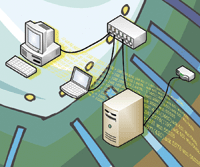
router". A typical home or small office setup is illustrated in
Figure 1.
As shown in the configuration, the Linux router
requires at least two network cards, or if you use a serial- or USB-based
modem, one network card. The computers "behind" or on the
"inside" interface of the router are usually on their own
subnetwork [8], which should be a private subnet. With libpcap installed on
the Linux router, we will be able to capture all network packets going
through the router between the inside network
and the outside network (usually the Internet).
As the computers on a network find each other using
the ARP [9] protocol and we start to use libpcap, we also capture a lot of
ARP requests. Generally, these are not used for accounting purposes, but
they may be used for network diagnostics, monitoring, or troubleshooting.
Thus, you can identify possible problems; for example, your Linux router
may be compromised and someone might have some type of ARP spoofing [10]
running. Examining your captured network packets in a tool like Ethereal
can show you these kinds of problems. In this way, libpcap becomes a very
handy library that can be used not only for network accounting but also for
network diagnostics using various front-ends.
The following Perl libraries are available from CPAN
to interface directly with libpcap:
By the way, if your home or test environment does not
allow you to capture interesting packets, you can get some sample captured
packets from:
The tcpdump(8) program uses libpcap to display
captured packets in real time or to dump packets to a local file or view
the packets from a dump file later. This utility is available as a standard
package on probably all major nix* distributions.
Reading back packets from a dump file:
# tcpdump -r /tmp/dump
More information and examples are available from the
online manual pages. In the second example given, I excluded SSH traffic. I
did that because I was logged onto the system via SSH and when you start to
print the output to STDOUT it just creates more data, creating a runaway
process.
Let's look at a small portion of captured data
as illustrated in Listing 1. The output of tcpdump(8) is protocol
dependent, but let's examine IP-based captured packets. For this
example, see line 6:
"11:48:34.646763 IP 192.168.239.1.4474 > 192.168.239.128.www: \
  P 1:451(450) ack 1 win 65535"
There are essentially eight fields:
- Field 1 -- Timestamp
- Field 2 -- Capturing from the IP service
- Field 3 -- Source host and port
- Field 4 -- Direction indicator (should always be ">")
- Field 5 -- Destination host and port
- Field 6 -- Flag that was set
- Field 7 -- Data sequence and packet data size
- Field 8 -- Additional information
Note: When reading captured packets, or when
displaying them real time, it might be helpful to use -n switch to display the
numeric values of host addresses and ports. So based on Listing 1, how much
data was transferred? See Listing 2 for the result.
What I have done was to add together all the packet
sizes. I have included the log snippet from the Apache log file to show how
accurate the data is or where the differences lie. We captured 28002 bytes
of data in this Web session, but the Apache logs show only 25063 bytes
transferred. Where does the difference of 2939 bytes come from?
The Apache documentation [11] indicates that the %b
switch shows "the size of the object returned to the client, not
including the response headers". Listing 3 shows the data as we
captured it on the wire. The first 10 lines are part of the response header
generated by the Web server and also sent to the browser, but this part is
not included in the Apache log files.
Apart from the response headers, the Web browser
itself also requests a Web page by means of request headers, which could
also be several lines long.
This brings us to an interesting situation. If you are
billed from your ISP on usage, on what do they actually base the usage?
This is certainly a reason to read the fine print, and there might be some
interesting arguments arising from network usage bills. It is therefore
important to also know how the various protocols work.
Perl Modules Available for Libpcap
As I mentioned earlier, several libraries for Perl are
available to interface directly with libpcap. A quick example is shown in
Listing 4 using the Net::Pcap library.
The script will read captured data from a dump file
(/tmp/http.pcap) and dump the HEX and ASCII values of the captured packet
data. At the end, it also prints the total length of the data. It should be
noted that this total is really the total size of the packet data as well
as the packet header information, including the TCP and IP headers.
A detailed tutorial on Net::Pcap is available on the Perl Monks site at:
http://www.perlmonks.org/index.pl?node_id=170648
The tutorial above also relies of the NetPacket package for Perl available from:
http://search.cpan.org/~timpotter/NetPacket-0.03/
Listing 5 shows a rather simplified Perl version of
tcpdump, which will print out the source IP address and port, the
destination IP address and port, and the data length of the packet data.
But why would we use this low-level interface instead
of just parsing tcpdump output as in the previous example? Well, control is
the short answer. Since this solution provides a direct interface to all of
the libpcap functions, it is much easier to extract information without
having to use clever regular expressions and other tricks to get our data.
What is more, we can now use the Perl DBI interface to dump our captured
data directly into a MySQL database, which I will look at next.
Implementing a MySQL-Based Network Accounting Solution
To begin, you will need to define exactly what you
want out of your network accounting solution. Maybe you use more than just
TCP/IP on your network, and protocols like UDP can be overlooked easily. It
is a good idea to capture some raw data using tcpdump(8) and then analyze
it to see all the different protocols used on your network. Perhaps you
don't so much worry about network traffic but only want to focus on
particular protocols, like HTTP traffic. Whatever the case, you have to
define your goals, as this will determine a lot of parameters for your
accounting backend, including:
- Storage capacity
- Real-time versus time-delayed processing
- Additional tools you may need
I will show a very basic capturing technique in the
database based on our Perl script in the previous section. But first,
you'll need to prepare your database. You can use Listing 6 as a
guideline to create a sample capture table.
You might be interested in why I have created the IP
address columns as integers. There are several reasons actually, but the
most relevant one for me is that it helps during queries, especially when
searching across a range of addresses for particular information. For
example, if you have a network of 192.168.239.0/24, the first IP address in
that network is 192.168.239.1 and the last address is 192.168.239.254. In
our SQL query, we would then search for IP addresses > 3232296704 and
< 3232296959, making it very easy in terms of our SQL language
limitations. Searching for this range is almost impossible using SQL on,
say, a VARCHAR field. In Perl, you can convert easily between the two
formats by using NetAddr::IP.
So let's modify our original Perl program to
capture and dump all our data in our newly created database (see Listing
7). After a sample run, I could run the following query:
# mysql -uroot -P3306
See Listing 8 for the results.
From here on, the queries you run simply depend on
your imagination. There are endless amounts of useful data and patterns you
can choose just by using this simple table. With enough captured data, you
can start to calculate things such as 5-minute bandwidth averages, your
busiest host, etc.
There are, however, several things to note here:
1. The timestamp does not cater to sub-second
precision.
2. On the capture node (router), the MySQL database
listens only on the loopback address (127.0.0.1). Thus, my script entries
into the database will not be shown on the data that I'm capturing,
as it is only captured from the Ethernet device (eth0). This is rather
important, because you could end up with a runaway process and you might
not realize it until you run out of disk space. If you have to use a remote
database, then adapt your filter to exclude that host from your
data-capturing script.
3. I have ignored a whole bunch of protocols. Your
environment will dictate what you will have to include in your captures.
You might also need to adjust your table layout to add fields to identify
the protocol used.
As I've stated, capturing your data in a
database allows for powerful queries to be run on your data. In this
example, I have laid a foundation, but it remains for you to investigate
your environment and adjust the table and capture engine according to your
needs. Of course, you also need to look at good reporting tools. As I am
familiar with Perl, I usually just use whatever is available. If, for
example, I need to create fancy graphs, then a module like GD is usually
sufficient.
You might also consider importing data from Maxmind's GeoIP tables, available from:
http://www.maxmind.com/download/geoip/database/
With this tool, you can also look at traffic volumes
to and from different countries to your server(s), which is pretty powerful
for bigger networks.
You might also need to consider the use of the Unix
services file, located at /etc/services on most *nix systems. This will be
handy to translate between port numbers and service names and can be
helpful in creating reports.
Database size and the management thereof must also be
considered. In larger networks with busy hosts, you will quickly find that
your database might grow very large and report generation will become very
slow. Ultimately, if you have a Web interface to your database, you would
not want the database response to be too slow. Given enough data and
complex enough queries, even a fast database like MySQL can slow down to
the point where it is not usable.
There are several things you can do to address this.
One possible solution is to break your captured data into smaller groups
(e.g., use daily tables). So, instead of having a "rawcapture"
table, you could have a "rawcpature_20060415" table. You would
need a cron job to run just before midnight to create a table for the next
day.
A nice new feature in MySQL is called MERGE tables
[12], which allows you to "group" tables together. For example,
if you have 7 days worth of daily tables, you can create a
"weekly" merge table. You can run queries against the weekly
table to extract data related to the last 7 days. At the start of each day, you will need another cron job to recreate the merge table, since we have moved on to a day.
Another strategy could be to summarize your data
often. In very busy network environments, you could have hourly tables and
daily summary tables. At the beginning of each new hour, you would need a
job to run the summary on the previous hour table and populate the daily
summary table.
I am sure that there are many other equally good and
even better solutions, but again your environment will dictate to which
detail you need to go. MySQL provide a stable and fast database backend and
is a perfect backend storage solution for your accounting requirements.
Additional Tools
Ethereal
Although Ethereal is not strictly speaking part of
any network accounting solution, it is a useful tool when you need to
troubleshoot or investigate problems on your network. One benefit is that
it can import files created by utilities such as tcpdump(8). Ethereal can
be obtained from:
http://www.ethereal.com/download.html
There are also a lot of sample capture files available
that you can use with Ethereal to get to know the program. The sample dumps
are available from:
http://wiki.ethereal.com/SampleCaptures
Ethereal has many useful features, such as
color-coding the lines based on the type of packet, advanced filtering
capabilities, and real-time capturing using libpcap just to mention the
most impressive ones. See Figure 2 for an example of Ethereal in action.
Ntop
Ntop provides a Web-based interface to libpcap. It
comes packaged with most popular Linux distributions and supports a host of
handy add-on features, such as:
- Support for NetFlow[1]
- Support for high speed networks through PF_RING
- MySQL integration
I use ntop as a monitoring tool rather then an
accounting tool. It is very powerful, and the support for NetFlow is
especially useful in many enterprise environments.
pmacct
Pmacct is another great utility with support for NetFlow, RRDtool, MRTG, and much more. The pmacct home page is at:
http://www.pmacct.net/
Conclusion
Network accounting (as a general term) covers a lot
of ground in terms of protocols, tools, and solutions. It has a use in a
lot of scenarios -- even in small home networks. Network accounting
can help us manage our sometimes limited resources better. As an example,
in South Africa, our ADSL services are capped, in most cases around 2GB or
3GB. Network accounting can help manage such limited capacity and may even
help identify problem areas.
Another big benefit of network accounting is that it
will help you understand your network better. Once you have a clear
understanding of how your network works, you can identify irregular (or
problem) areas more quickly. Solid network accounting statistics can also
be a source of information when you need to make capacity planning
decisions. Advanced networking decisions, like the use of QoS, can also be
based on the information you obtain from your accounting statistics.
Libpcap lies at the center of all the tools I have
discussed here. There are a lot of front-end alternatives, but all of them
rely on this Swiss army knife of network monitoring.
References
1. Cisco IOS NetFlow Introduction -- http://www.cisco.com/warp/public/732/Tech/nmp/netflow/index.shtml
2. RFC 793 - Transmission Control Protocol -- http://www.faqs.org/rfcs/rfc793.html
3. RFC 791 - Internet Protocol -- http://www.faqs.org/rfcs/rfc791.html
4. OSI model -- http://en.wikipedia.org/wiki/OSI_model
5. Promiscuous mode -- http://en.wikipedia.org/wiki/Promiscuous_mode
6. Network router -- http://en.wikipedia.org/wiki/Network_router
7. Linux Router Project -- http://en.wikipedia.org/wiki/The_Linux_Router_Project
8. Subnetwork -- http://en.wikipedia.org/wiki/Subnetwork
9. Address Resolution Protocol (ARP) -- http://en.wikipedia.org/wiki/Address_Resolution_Protocol
10. ARP spoofing -- http://en.wikipedia.org/wiki/ARP_spoofing
11. Apache HTTP Server log files -- http://httpd.apache.org/docs/1.3/logs.html
12. MERGE Storage Engine -- http://dev.mysql.com/doc/refman/4.1/en/merge-storage-engine.html
Nico Coetzee is employed by First National Bank, South
Africa (https://www.fnb.co.za/) as the IT Operations Manager for Cellphone Banking. He has
nearly a decade of experience with Linux. In his spare time, he likes
watching DVDs and enjoying his wife's freshly baked rusks in front of
the TV. You can contact him at: ncoetzee1@fnb.co.za.
 Network Accounting Using Libpcap