 Troubleshooting Methods Troubleshooting Methods
Scott Cromar
Most good systems administrators have a dirty little secret: We like troubleshooting. We like the adrenaline rush. We like the attention. We like being the hero.
But troubleshooting can be frightening, too. While it is exciting, it is also intimidating to have the boss leaning over your shoulder asking for an update. "Is it done yet? What caused it?" There's the unspoken question, "Whose fault is it?" And there's the unspoken fear, "What if I can't fix it?"
The purpose of this article is to give you a set of tools to enhance your ability to troubleshoot problems. These techniques will help you organize your search for the root cause of a problem. The biggest weapon in your arsenal, however, is not something gleaned from a business school textbook. A positive attitude is more important than any set of tools or techniques.
The Positive Attitude
A positive attitude is a key component of troubleshooting success. Every problem is solvable. There are a lot of techniques to help you narrow down the possibilities until you have found the root cause of the problem. But without a positive attitude, you are virtually guaranteed to fail.
One of the reasons that people become more effective at troubleshooting with experience is that they gain confidence in their ability to fix problems. Techniques like the ones in this article are valuable and will help improve your ability to troubleshoot a problem. Building confidence is trickier.
There are vendor-provided troubleshooting courses that can help you get practical experience with troubleshooting. For example, Sun provides the ST-350 Sun Systems Fault Analysis and SA-400 Solaris System Performance Management courses, which include labs to identify and fix problems. Red Hat certification classes, such as RH133 Red Hat Linux System Administration and RH300 Red Hat Linux Rapid Track Certification Course, also have significant lab components. Study and reading are important as well. With knowledge, comes competence and confidence.
Troubleshooting Methodology
Troubleshooting refers to the methods used to resolve problems. People who troubleshoot frequently develop a set of habits, methods, and tools as part of their standard approach for gathering information and zeroing in on the root cause of the problem.
A methodology helps save cycles when troubleshooting. It helps organize our efforts so that every moment is spent getting to the bottom of the problem. Tracking and documenting the troubleshooting process can save time and effort but only when done intelligently. It makes no sense to spend all our time writing logs and no time testing hypotheses. As with everything else in life, we need balance in our troubleshooting.
Methodologies contain valuable tools to coordinate efforts and eliminate possibilities that don't pan out. If organized properly, the documents and experiences generated can be extremely valuable in tracking incidents and providing background for future troubleshooting episodes. If the notes are written and filed in a structured way, they are much more useful than scribbled stacks of Post-It notes.
The techniques presented in this article should be thought of as tools in your toolbox. Not all of them will be relevant or appropriate to every problem, just like not every home repair requires a sledgehammer and a crowbar. Learn the techniques, but learn how and when to apply them.
In broad outlines, troubleshooting consists of three phases -- investigation, analysis, and implementation. Each of these phases has a number of benchmarks that need to be achieved. Table 1 outlines these steps briefly. The next several sections describe them in more detail.
Investigation
The investigation phase includes steps taken to identify the nature of the problem, gather the facts surrounding the incident, and find the differences between the faulted state and the functional state. The key to the investigation phase is to gather facts, not opinions.
For non-trivial problems, we save time over the long run by not jumping straight to testing hypotheses or treating symptoms. Inexperienced troubleshooters think that they will save time by "just doing something". There is a universe of wrong or irrelevant actions that we can take, and only a few actions we can take to actually resolve the root problem. Over the long run, we will be much more successful if we gather the data before taking action.
Problem Statement
At the beginning of the process, the problem needs to be named. We need to identify what happened and produce a problem statement. It is important to state the problem broadly enough to accurately portray the effects of the problem, but narrowly enough to focus the remainder of the analysis. Value judgments have no place in a problem statement. The goal of a problem statement is to produce a concise, correct, high-level description of the problem. To do this, focus on what actually happened rather than what should have happened. Ideally, the problem statement should identify a specific object or service and a specific defect in that object or service. The problem statement should answer the questions "Where is the problem?" and "What is wrong?"
Problem Description
Once the problem has been named, it needs to be described by listing as many of the symptoms as possible without becoming redundant. In particular, we should list seemingly dissimilar symptoms -- their juxtaposition allows us to look at the common threads between the items on the list.
It may even be helpful to list the things that work and contrast them against what fails to work. (If we can ping the server from within the same subnet, but not from outside it, we immediately know that the network adapter is working and the IP address is set properly. We can focus on other aspects of the networking stack.)
As obvious as it may sound, we have to look for and log any explicit error messages. (More times than I care to think about, I have wasted time chasing a problem whose solution is fully described in the text of an error message that I have overlooked.)
Core dumps may also be an important source of information. These should be gathered and provided to someone who knows how to analyze them (frequently the software vendor).
In some cases, hardware or software diagnostics may help to point the troubleshooter in the right direction. Check to see whether any such tools are available in this case.
The timing of an outage should be identified as closely as possible, in order to ask "What has changed?" on as tight a time window as possible. We need this information for the next stage of the troubleshooting process.
We also need to get a handle on the scope and importance of the problem. While these might not be directly related to the root cause of the problem, they will determine the types of tests and resolutions that we might consider for the problem.
Identify Differences and Changes
Where possible, identify the differences between the working system and the faulted system. If there have been recent changes, or if there are identifiable differences between the faulted system and a similar working system, focus on these during the analysis stage of the process.
With many emergency failures, the problem is likely to be found in a list of recent changes on the system in question. This is where change control processes show how important they are. Nobody likes logging and documenting changes, but it is far worse to have to troubleshoot a system without any idea what changed recently. A working change control policy is a key to identifying recent changes on a system. At a minimum, all changes should follow testing, approval, and documentation standards.
Analysis
In the analysis phase, we generate hypotheses from the information collected in the investigation phase, test the hypotheses, and report the results. This stage of the troubleshooting process is all about the scientific method. Intuition and experience can help to focus the investigation by accurately identifying which possibilities are most likely to provide a solution to the problem.
Brainstorm: Gather Hypotheses
The investigation phase was all about collecting facts. The hypothesis-gathering phase is about using those facts to generate hypotheses about the cause of the problem. The facts collected in the investigation phase should be turned around to provide hypotheses. Some problem statements can be turned around into hypotheses. We can ask how this item could have caused this problem. The answers can be added to the list of hypotheses.
It is sometimes helpful to have a system diagram or other mental model of the system before thinking about possible causes. Each component of the system should be considered as a possible cause. A common example of such a mental model is the OSI network stack in Table 2.
Some vendors' network troubleshooting methodologies focus on eliminating portions of the stack as the cause of the problem. In this context, "component" should be considered at an appropriate level of abstraction. Depending on the nature of the problem, a diode, a computer, a network service, or the Internet may be considered a component. For our purposes, we define a "component" as an entity that can, through testing, be eliminated as the source of the problem.
If we can eliminate a component, it makes no sense to spend time eliminating subcomponents. Our choice of a level of abstraction for these components can make a huge difference in the amount of time spent in a troubleshooting exercise. (In an idealized situation where we can eliminate half of the system at each step, for example, we can narrow a problem down to one component out of a million in only 20 steps.)
Ishikawa Cause-and-Effect Diagrams
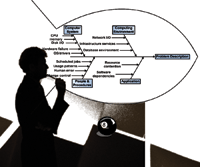
One tool that can help generate hypotheses is the Cause-and-Effect Diagram -- also known as the Ishikawa Fishbone Diagram. Generate an Ishikawa diagram by drawing a "backbone" arrow pointing to the right at the problem statement. Then attach 4-6 "ribs", each of which represents a major broad category of items that may contribute to the problem. Each of our components should fit on one or another of these ribs.
The next step can be done by the primary troubleshooter or by the whole team. Specific causes are attached to the appropriate rib, and more detailed potential causes are attached as branches to their related causes. Figure 1 shows an example of an Ishikawa diagram. The four categories chosen for this diagram were "Computer System", "Computing Environment", "People & Procedures", and "Application". Several secondary potential causes have been attached to each of the main categories.
Appropriate primary categories for the diagram will be different from situation to situation. Common paradigms presented in business school classes include "materials, methods, machines, and manpower" or "people, procedures, plant, and parts". Whatever we choose, the major categories should represent the universe of the major types of issues that may have caused the problem.
The advantage to an Ishikawa diagram is that it can organize the brainstorming process to help make sure that significant hypotheses are not ignored. A well-organized diagram can focus the troubleshooting team's attention on each potential issue to help avoid the problem of overlooked hypotheses. Remember that the goal is not to produce a pretty diagram. The Ishikawa diagram is a tool to facilitate brainstorming. The goal is to cover all of the possible causes of the stated problem.
Not every problem requires anything as formal or organized as an Ishikawa diagram. There is no point in trying to swat a fly with a sledgehammer. But when a problem is big enough to involve multiple people and areas of inquiry, a tool such as an Ishikawa diagram provides needed structure to a brainstorming session.
Identify Likely Causes
Once a list of potential hypotheses has been generated, we need to consider how likely each one is. We should also look into any assumptions that are implicit in the hypothesis statements.
Eliminate hypotheses only when they are absolutely disproved. This stage is all about ranking the hypotheses in terms of their likelihood of being the correct one. Hypotheses should not be discarded, though they may be characterized as "very unlikely" or "corner cases".
For more complex problems with more moving parts, it may be useful to use formal tools to help identify which potential causes are more important than other potential causes of a problem. Interrelationship Diagrams are tools developed to help organize and think about the relationships between these potential causes. Research has demonstrated that these tools help identify the root causes of problems (see Doggett, 2005). Again, not every problem will require the use of this sort of formal technique. On the other hand, complex problems with a lot of moving parts may benefit from their use.
Interrelationship Diagrams
Sometimes hypotheses are interrelated. When this is the case, it is important to try to drill down to the root cause of the problem. Interrelationship Diagrams (IDs) were designed to help deal with this process. IDs use boxes containing phrases describing the potential causes. Arrows between the potential causes demonstrate influence relationships between these issues. Each relationship can only have an arrow pointing in one direction. (Where the relationship's influence runs in both directions, the troubleshooters must decide which one is predominant.) Items with more "out" arrows than "in" arrows are causes. Items with more "in" arrows are effects.
Figure 2 shows a simple example of an Interrelationship Diagram. The real benefit of an ID comes when looking at the relationships between the hypotheses generated earlier in the process. In particular, we need to distinguish between the apparent (proximate) causes and the root (ultimate) causes.
Researchers recommend the following suggestions for using Interrelationship Diagrams effectively (see Mizuno, 1988):
1. Collect information from multiple distinct sources.
2. Phrases with at least a noun and a verb are recommended in each box.
3. Diagrams must reflect a group consensus.
4. Redo diagrams several times if necessary.
5. Don't get distracted by intermediate factors.
In more complicated implementations, arrows may be weighted to rank the causes in order of importance. As a practical matter, that is probably overkill for most troubleshooting exercises of the sort that we face. Usually, the diagram's main benefit is in helping the troubleshooting team to focus on the issues and their relationships. In particular, it helps distinguish between the causes and the symptoms of the problem.. The relative importance of the competing hypotheses and the relationships between them are often a beneficial side effect of this discussion.
Test Possible Causes
When performing the testing of likely causes, remember "first, do no harm". Our testing should be the least disruptive possible. To this end, we need to minimize our expenses of service disruption, time, money, and wasted motion. We need to reduce the risks associated with our testing to a minimum. Our services should be failed over, if a failover exists. At a minimum, service outage should be confined to a maintenance window wherever possible. Data should be backed up to prevent data loss. In particular, configurations should be preserved before they are changed.
Ideally, our testing would give us a "smoking gun" level of certainty about whether we have nailed the cause. It is frequently best to start with the most likely cause for the failure, based on the troubleshooting team's understanding of the system. The history of similar faults may also indicate the most likely problem. The "most likely first" approach is especially valuable if one of the possible causes is considered to be much more likely than the others. On the other hand, if investigating the most likely cause requires disruptive or expensive testing, it makes sense to eliminate some of the possibilities that are easier to test. This is particularly true if there are several easily tested possibilities.
The best approach is to schedule testing of the most likely hypotheses immediately. Then, perform any non-disruptive or minimally disruptive testing of hypotheses. If several of the most likely hypotheses can be tested without causing disruption, that's even better. Start with those.
The key is to start eliminating possibilities as soon as possible. It makes no sense to waste time arguing about the most likely cause. Prove it. At this stage, the troubleshooting team has spent a lot of time thinking about the problem. Don't start with the corner cases, but start narrowing the list of possibilities.
In some cases, the best way to test the hypotheses is by looking at information gathered during the analysis session. For example, a bug report may closely match the symptoms of your problem. If this is the case, it raises the likelihood of the associated hypotheses.
In some cases, it may be possible to test the hypothesis directly in some sort of test environment. This may be as simple as running an alternative copy of a program without overwriting the original, or it may be as complex as setting up a near copy of the faulted system in a test lab. If a realistic test can be carried out without much cost in terms of money or time, it can really help nail down whether we have identified the root cause of the problem.
Depending on the situation, it may even be appropriate to test the hypotheses by directly applying the fix associated with that problem. If this approach is used, it is important to only perform one test at a time and back out the results of each failed hypothesis before trying the next one. Otherwise, you will not have a good handle on the root cause of the problem, and you may never be confident that it will not re-emerge at the worst possible moment.
Dealing with Intermittent Problems
Intermittent problems are extremely difficult to troubleshoot. Any reproducible problem can be investigated, if for no other reason than that each false possibility can be disproved. Problems that are not reproducible cannot be approached in the same way.
We can determine that a problem is not reproducible only after we have tested the available hypotheses. It is to be hoped that we also will have definitively eliminated some possibilities with our testing regime. The first thing to do is to see whether we can knock out other possible causes with additional testing.
Problems present as intermittent for one of two reasons:
1. We have not identified the real cause of the problem.
2. The problem is being caused by failing or flaky hardware.
The first possibility should be addressed by going back to brainstorming hypotheses. It may be helpful to bring a fresh perspective into the brainstorming session, either by bringing in different people or by sleeping on the problem.
The second problem is tougher. Hardware diagnostics tests can be run to try to identify the failing piece of hardware, but the first thing to do is perform general maintenance on the system. Re-seat memory chips, processors, expansion boards, and hard drives.
Once general maintenance has been performed, we can perform stress-testing on a system to try to trigger the failure and identify the failing part. Ideally, we want to pull the failing system out of production long enough to run the tests and perform the repair. Perhaps this can be done during a maintenance period, or the system can be replaced temporarily with failover hardware. It may be the case, however, that the costs associated with this level of troubleshooting are prohibitive. In this case, we may want to attempt to shotgun the problem.
Shotgunning is the practice of replacing potentially failing parts without having identified them as actually being flaky. In general, parts are replaced by price point, with the cheapest parts being replaced first (Litt, 2005). Although we are likely to inadvertently replace working parts, the cost of the replacement may be cheaper than the costs of the alternatives (like the downtime cost associated with stress testing).
When parts are removed during shotgunning, it is important to discard them rather than keep them as spares. Any part you remove as part of a troubleshooting exercise is questionable. (After all, what if a power surge caused multiple parts to fail? Or what if there was a cascading failure?) It does not make sense to have questionable parts in inventory; such parts would be useless for troubleshooting, and putting questionable parts into service just generates additional downtime down the road.
Shotgunning may violate your service contract if performed without the knowledge and consent of your service provider. Regardless of the method used to deal with intermittent problems, it is essential to keep good records. Relationships between this particular problem and other events may only become clear when we look at patterns over time. We may only be confident that we have really solved the problem if we can exceed the usual recurrence frequency without the problem re-emerging.
Implementation
The implementation phase consists of steps taken to recover a system to a working state. It also includes steps to monitor the effects of the fix and document the results. This is the end game of the troubleshooting process. We have to maintain discipline to finish the entire process. We must take the time to verify that we have actually resolved the root problem and ensured that the customers are happy with the result.
Implement the Fix
The fix needs to be implemented in the least-disruptive, lowest-cost manner possible. Exactly what that is will vary between particular cases. Ideally, the fix should be performed in a way that will completely verify that the fix itself has resolved the problem. When reboots are required, it is especially hard to tell whether the fix resolved the problem or whether the reboot brought the service back online after re-initializing the environment.
Verify the Fix
We need to check that the problem is resolved and also that we have not introduced any new problems. Each service in your environment should have a test suite associated with it so that you can quickly eliminate the possibility that you have introduced a new problem.
Part of this verification should include a root-cause analysis to make sure that the real problem has been resolved. Band-Aid solutions are not really solutions.
Document the Resolution
The information associated with this incident must be preserved in a central repository. This may be as simple as a directory on a file share or may involve a database with links to the information. A key part of documenting the resolution is to obtain and document the confirmation and acceptance from the person who owns the service in question.
At a minimum, the problem resolution documentation should include the following:
- Problem statement, including dates and times of occurrences.
- Any vendor service order numbers opened as part of the case.
- Information on the hypotheses, including any diagrams or documents used to organize them.
- Results of hypothesis testing.
- Confirmation and acceptance document.
The fact that we have collected this information does not mean that we have to go crazy. Saved emails are a perfectly fine type of documentation, as long as they are filed so that we can find them in the future.
Problem troubleshooting and resolution material should be cross-referenced by system, problem statement, and date. This is not as hard as it sounds. (Even a shared file system with simple search functionality could work. A folder naming scheme that includes the system name, a one-word clue to the nature of the problem, and the date would probably be adequate for a small environment.)
Over time, the collection of data on resolved problems can become a valuable resource. It can be referenced to deal with similar problems. It can be used to track recurring problems over time, which can help with a root-cause analysis. Or, it can be used to continue the troubleshooting process if the problem was not really resolved after all.
Resources
Formal Analysis Tools
Brassard, M., and D. Ritter. 1994. The Memory Jogger II: A Pocket Guide of Tools for Continuous Improvement. Salem, NH: ASQ.
Doggett, A. Mark. 2005. Root Cause Analysis: A Framework for Tool Selection. ASQ Quality Management Journal 12(4). -- http://www.asq.org/pub/qmj/past/vol12_issue4/qmjv12i4doggett.pdf
Ishikawa, K. 1982. Guide to Quality Control, Second Ed. Tokyo: Asian Productivity Organization.
Mizuno, S., ed. 1988. Management for Quality Improvement: The Seven New QC Tools. Cambridge: Productivity Press.
General Troubleshooting Advice
Cromar, Scott. 2006. Solaris Troubleshooting at Princeton University. -- http://www.princeton.edu/~unix/Solaris/troubleshoot/index.html
Litt, Steve. 2005. Shotgunning. Troubleshooting Professional Magazine. Fall 2005. -- http://www.troubleshooters.com/tpromag/200510/200510.htm
Scott Cromar has been working with Unix and Linux for longer than he cares to admit in public. Along the way, he created Princeton University's Solaris Troubleshooting Web site. He can be contacted through his blog at http://solaristroubleshooting.blogspot.com.
|