 Open Source Build Management for Java Projects -- Part 2 Open Source Build Management for Java Projects -- Part 2
Craig Caulfield
In part one of this article, I introduced
Apache's Maven build tool and its role
in a fully featured build environment for Java projects, such as the one
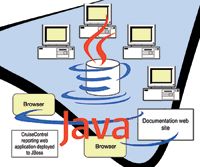
shown in Figure 1. This article completes the picture by showing how the
build process can be automated using
CruiseControl.
CruiseControl is a build management tool based on the
notion of continuous integration. For each project, continuous integration
advocates using a configuration management system containing a single
source code tree. Developers should regularly (daily, more so than weekly
or longer) integrate their work with this code tree, and there should be an
automated build and testing process that allows anyone to easily build and
test the system from scratch.
Repositories such as CVS or Subversion can take care
of configuration management, while developer procedures and discipline make
sure that code is integrated with the main code tree in small, meaningful
chunks as soon as possible. It's at this point that CruiseControl
kicks in to automatically build the project (weekly, daily, or even more
frequently) and then report on how things have gone. If there is a problem
with the build it can be found, publicized, and resolved quickly, with the
likely culprit being code committed since the last successful build.
Installing CruiseControl
CruiseControl comes in source and binary forms. If you
just need a fairly vanilla installation (e.g., using CruiseControl's
built-in reporting Web application as is), then the binary distribution is
fine. But, my personal policy is to deploy any miscellaneous Web
applications to my JBoss application server whenever possible, and for this
I'll need the source distribution.
Download the latest source distribution from:
http://cruisecontrol.sourceforge.net/
and unzip it to, say, /usr/local/cruisecontrol-2.4.1.
Building the core CruiseControl product (the Web application will be built separately later) is a matter of executing the /usr/local/cruisecontrol-2.4.1/main/build.sh script. This
will create an executable cruisecontrol.jar
under main/dist, but running CruiseControl via the cruisecontrol.sh script
under main/bin is much easier. Just add main/bin to your $PATH.
Then, create a local user called "cruise"
along with the following build workspace directory structure in the home
directory:
Builds
`-- artifacts
`-- checkout
`-- logs
Check out the project from Subversion into the checkout directory:
svn checkout http://snagglepuss/svn/DEVELOPER/trunk/SunDeveloper
This manual checkout is only needed the first time around -- CruiseControl will manage any further updates.
Configuring CruiseControl
CruiseControl runs as a continuous loop, periodically
checking the source code repository, building projects if necessary, and
then publicizing the results. The behavior of the loop is controlled by an
XML configuration file, config.xml (Listing 1).
The main elements of this configuration file are
described below, but check out the online documentation at:
http://cruisecontrol.sourceforge.net/main/configxml.html
for the complete list.
<cruisecontrol> -- The root element of each
configuration file is <cruisecontrol>, which can contain one or more
<project> child elements describing the projects on
CruiseControl's watch; and zero or more <plugin> elements that
register classes with an alias for use within the configuration file.
<plugin> -- Plug-ins are
CruiseControl's way of extending the things it can do. For example,
one of the most common plug-ins, net.sourceforge.cruisecontrol.listeners.CurrentBuildStatusListener, writes away the current state of the build and
the last time it changed so the information can be later used by
CruiseControl's reporting Web application (discussed later).
<project> -- The <project> element
is CruiseControl's fundamental unit of work: it defines what should
be built, when and how, and how the results should be reported. The element
takes two attributes: "name", which gives the project a unique
identifier within the configuration file; and "buildafterfail",
which tells CruiseControl whether it should continue trying to build a
project after a failed build even though there has been no repository
activity since the last attempt. By default, the buildafterfail attribute
is true, which is perfectly valid as the build may have failed because of
something outside the code base (e.g., a network connection to the
repository or some other resource may have been temporarily down).
The <project> element is the wrapper for a
surprisingly long list of possible child elements and sub-elements.
However, the list is long because of the number of tools and options that
CruiseControl supports, meaning that in reality build administrators will
be dealing with only small subset specific to their tool set. Those most
commonly used are <dateformat> (optional), <bootstrappers>
(optional), <modificationset> (required), <schedule>
(required), <log> (optional), and <publishers> (optional).
<dateformat> -- By default, dates are shown
as "MM/dd/yyyy HH:mm:ss", but this can be overridden to
something more locale-specific.
<bootstrappers> -- Bootstrappers are
independent classes that are run before a build takes place and regardless
of whether a build is later found to be necessary. They can be used to,
say, update single repository files with build information (for Subversion:
SVNBootstrapper) or to kick off Ant scripts (AntBootstrapper). Possibly the
most common bootstrapper is CurrentBuildStatusBootstrapper, which writes
away the current start time of the build so the information can be used by
CruiseControl's reporting Web application.
<modificationset> -- CruiseControl uses
information in the <modificationset> element to figure out whether it
needs to kick off a build, which is usually when the source code repository
has changed:
- The requiremodification attribute, set to
true by default, tells CruiseControl to take action only if there have been
modifications in the repository (pointed to by the svn child element) since
the last build. Setting this attribute to false means CruiseControl will
kick off a build even if the source code repository is unchanged since the
last build.
- The quietperiod attribute is the duration
in seconds that CruiseControl should wait before executing the build just
in case someone is committing to the repository.
It's also possible to specify files that should
be excluded from the modification test by using the ignoreFiles attribute.
If the only repository modification has been the updating of a build
information file, then a fresh build really isn't needed.
<schedule> -- The <schedule> element
is the heart beat of CruiseControl; it says when each build should be
attempted. In this scheduling, there's room for plenty of
flexibility. For example, builds can be scheduled at certain time
intervals. The <schedule> element's interval attribute sets a
value in seconds (by default 300, or 5 minutes), meaning CruiseControl will
check the source code repository every so many seconds and kick off a build
if necessary.
Builds can be scheduled on certain days and times. For
example, the child elements of <schedule> are called builders and are
a mixture of how and when CruiseControl goes to work. In the example
configuration, the <maven2> builder contains elements that initiate
the clean, test, install, and site-deploy goals each day at 1200 hours or
midday.
Maven is just one of the possible builders that
<schedule> can use. If your project hasn't yet been Maven-ized,
an Ant builder can be used instead.
As an alternative to setting a date and time, the
multiple attribute can be used to initiate a build every nth time. This
might be an option for extra large projects where incremental compilation
is necessary.
Together, the <schedule> and
<modificationset> elements determine when, how, or whether a build
actually happens. However, as mentioned before, even though CruiseControl
may have determined that a build is necessary, it is left to the build
administrator to make sure that the local working copy is updated with the
latest changes from the repository (e.g., by invoking customized tasks
during the Maven build lifecycle) before the build is kicked off.
<log> -- As CruiseControl runs, it creates
an activity log in the directory pointed to by the <log> element,
which can be used by reporting applications to show what has happened
during the build. This is not the only type of log file a normal build will
generate -- there will likely be junit test results, along with Ant
and Maven output, and it makes sense to consolidate these log files into
CruiseControl's main log so that any reporting applications only have
one place to look. For this, the <merge> element is used -- it
takes an attribute pointing to a directory or a named file, and at the
conclusion of the build, these files will be merged into a single
comprehensive log. It is then up to the reporting applications to trawl
through this log file for anything they need.
<publishers> -- By now CruiseControl will
have attempted a build and has either succeeded or failed. It just remains
to publish the build results to all those who might be interested by
defining options in the <publishers> element. It's here that
build administrators are spoilt for choice; the possibilities range from
simply writing the results to a text file or sending an email, to creating
Jabber instant messages, or even using X10 devices to physically display
the health of the build.
The example configuration file keeps it simple and just uses two publishers:
- The <artifactsPublisher> copies the
Maven-generated documentation to a place where it can be accessed through
the CruiseControl reporting application.
- The <htmlemail> publisher sends an
email containing the build results in HTML format to all the configured
recipients on either the success <success address=...> or failure
<failure address=...> of the build or in both cases <always
address=...>. Usually, a failed-build email will be sent to the whole
development team so that everyone can check whether their code is the
culprit, while a successful-build email might be sent to just the build
administrator as confirmation that the build is ticking over as expected.
If the contents of the embedded HTML build results
report aren't to your liking, they can be customized by changing the
standard XSLT and CSS stylesheets used by the publisher.
Running CruiseControl
CruiseControl can be run by using the
main/bin/cruisecontrol.sh script. By default, it will look for a config.xml
file in the current directory, or the --configfile option can point to somewhere else. When CruiseControl
starts, it does some initial setup, and if there is nothing for it to do,
it will enter its build loop and wait:
snagglepuss:/home/cruise/Builds # cruisecontrol.sh Using Cruise \
  Control at /usr/local/cruisecontrol-2.4.1/main
/usr/lib/jvm/java/bin/java -cp

/usr/lib/jvm/java/lib/tools.jar: /usr/local/cruisecontrol-2.4.1/ \
  main/dist/cruisecontrol.jar: /usr/local/cruisecontrol-2.4.1/ \
  main/lib/log4j.jar: /usr/local/cruisecontrol-2.4.1/main/lib/ \
  jdom.jar: /usr/local/cruisecontrol-2.4.1/main/lib/ant/ \
  ant.jar: /usr/local/cruisecontrol-2.4.1/main/lib/ant/ \
  ant-launcher.jar: /usr/local/cruisecontrol-2.4.1/main/lib/ \
  xercesImpl-2.7.0.jar: /usr/local/cruisecontrol-2.4.1/main/ \
  lib/xml-apis-2.7.0.jar: /usr/local/cruisecontrol-2.4.1/main/ \
  lib/xmlrpc-2.0.1.jar: /usr/local/cruisecontrol-2.4.1/main/ \
  lib/xalan-2.6.0.jar: /usr/local/cruisecontrol-2.4.1/main/ \
  lib/jakarta-oro-2.0.3.jar: /usr/local/cruisecontrol-2.4.1/ \
  main/lib/mail.jar: /usr/local/cruisecontrol-2.4.1/main/lib/ \
  junit.jar: /usr/local/cruisecontrol-2.4.1/main/lib/ \
  activation.jar: /usr/local/cruisecontrol-2.4.1/main/lib/ \
  commons-net-1.1.0.jar: /usr/local/cruisecontrol-2.4.1/main/ \
  lib/starteam-sdk.jar: /usr/local/cruisecontrol-2.4.
1/main/lib/mx4j.jar: /usr/local/cruisecontrol-2.4.1/main/lib/ \
  mx4j-tools.jar: /usr/local/cruisecontrol-2.4.1/main/lib/ \
  mx4j-remote.jar: /usr/local/cruisecontrol-2.4.1/main/lib/ \
  smack.jar: /usr/local/cruisecontrol-2.4.1/main/lib/ \
  comm.jar: /usr/local/cruisecontrol-2.4.1/main/lib/ \
  x10.jar: /usr/local/cruisecontrol-2.4.1/main/lib/fast-md5.jar:.
-Djavax.management.builder.initial=mx4j.server. \
     MX4JMBeanServerBuilderCruiseControl -rmiport 1099

[cc]May-03 20:26:05 Main - CruiseControl Version 2.4.1 \
  Compiled on April 21 2006 2026

[cc]May-03 20:26:06 LConfigManager- reading settings from config \
  file [/home/cruise/Builds/config.xml]
[cc]May-03 20:26:06 Schedule      - schedule has all time based \
  builders: interval value will be ignored.
[cc]May-03 20:26:06 trolController- projectName = [SunDeveloper]
[cc]May-03 20:26:06 LConfigManager- using settings from config \
  file [/home/cruise/Builds/config.xml]
[cc]May-03 20:26:06 Project       - Project SunDeveloper starting
[cc]May-03 20:26:06 Project       - Project SunDeveloper:  idle
[cc]May-03 20:26:06 Project       - Project SunDeveloper started
[cc]May-03 20:26:07 Project       - Project SunDeveloper:  next \
  build in 4 minutes
[cc]May-03 20:26:07 Project       - Project SunDeveloper:  \
  waiting for next time to build
[cc]May-03 20:26:07 ontrollerAgent- starting rmiRegistry
[cc]May-03 20:26:08 ontrollerAgent- starting connectorServer
[cc]May-03 20:26:08 BuildQueue    - BuildQueue started
Only when there is activity in the source code
repository or a build is forced, will CruiseControl kick into action.
Running CruiseControl as a Daemon
Although running CruiseControl from a command line is
easy, it means keeping a user permanently logged on, and there isn't
an automated restart capability if the build server spontaneously reboots.
A much better option is to have CruiseControl run as a daemon. Just edit
Listing 2 to suit your local environment, copy it to rc.d and make it
executable, and then have it run at levels 3, 4, and 5.
Setting Up the CruiseControl Reporting Web Application
CruiseControl comes with a built-in reporting Web
application that shows how the build is faring. If you do the binary installation, CruiseControl will, by default, run this Web
application on its own Jetty server, but because it's just a normal
Web application, it can also be deployed to, say, Tomcat or a J2EE
application server. In my case, I'm deploying the application to
JBoss, so the procedure would be:
- The Web application will be running
outside of the expected CruiseControl directory structure, so it needs to
be told where to find the logs and other build artifacts. In the
CruiseControl source distribution (not the
binary), navigate to the reporting/jsp directory
and create a text file called override.properties with the following properties:
# The full path to the CruiseControl log directory
# user.log.dir=/home/cruise/Builds/logs

# The path to the build status file, expressed relative to
# the project's log directory
# user.build.status.file=SunDeveloper/buildstatus.txt

# The absolute path to the directory where additional build
# artifacts are stored.
cruise.build.artifacts.dir=/home/cruise/Builds/artifacts
These properties will be written to the appropriate
places in the web.xml deployment descriptor, so they can be changed later
if necessary.
- Execute reporting/jsp/build.sh war to create a WAR file based on the values
specified in override.properties. If this build completes successfully, a
WAR file will be created in reporting/jsp/dist. This WAR file can be
deployed to a Web container or J2EE application server in the usual way.
For JBoss, I copied the WAR file to $JBOSS_HOME/server/default/deploy.
- So that the
reporting application can access historical build information, test results
and other artifacts, the <artifactspublisher>
element in the config.xml file (Listing 1) must be pointing to the correct
directory.
Now that the set up is complete, navigate to http://snagglepuss/cruisecontrol/index.jsp to bring up the reporting Web site (Figure 2).
Installing and Configuring a CruiseControl Client
As it runs, CruiseControl provides lots of feedback
about what it has done and what it's currently doing. Rather than
hunt through log files or console output, there are plenty of GUI
alternatives that not only monitor CruiseControl's state, but allow
build administrators to, say, force a build, or change the configuration,
either locally or remotely. For example, there are dashboard plug-ins for
Eclipse and IDEA as well as dedicated CruiseControl GUIs.
Installation
The one used here will be CruiseControl Configuration
(http://cc-config.sourceforge.net/). The building and installation procedure is:
- Download the distribution and extract to, say, /usr/local/cc-config.
- In the installation root directory,
change the filemain.dir property in the build.properties file to point to
the root directory of the local CruiseControl installation.
- Run ant setup from the root directory.
This will copy some necessary jar files into the configuration
client's third-party directory.
- Run ant build.standalone.dist to create the standalone.zip file in the dist sub-directory.
Note that version 1.4 of the source code isn't
JDK 5.0 compliant, so it will need to be compiled against JDK 1.4 or below.
- The newly created standalone.zip file is
something of an installation file; it just needs to be unzipped to some
convenient place from which it will be run.
The configuration client is now ready to be run, but
first CruiseControl needs to make itself available via an RMI port.
Starting CruiseControl with the parameter -rmiport
1099 will do this.
The configuration client can now be started using the
startup.sh script in the bin sub-directory.
Configuration
To point the configuration client to a running CruiseControl instance, select Configure Monitoring from the Application menu to bring up the
configuration dialog box (Figure 3). The main configuration client view
should now show the projects CruiseControl is managing (Figure 4).
Conclusion
By now we've built a Java software development
build environment like that shown in Figure 1. Using simple open source
tools based on best practices and patterns means build administrators can
easily set up full-featured build environments that are consistent,
informative, and that have a low impact on developers.
Resources
Beck, K. 2000. Extreme Programming Explained: Embrace Change. Boston:
Addison-Wesley.
Berczuk, S. P. and Appleton, B. 2003. Software Configuration Management Patterns. Boston: Addison-Wesley.
Clark, M. 2004. Pragmatic Project Automation: How to Build, Deploy, and Monitor Java Applications. Raleigh, NC: The Pragmatic Programmers.
CruiseControl -- http://cruisecontrol.sourceforge.net/
CruiseControl Configuration -- http://cc-config.sourceforge.net/
Fowler, M. and Foemmel, M. "Continuous Integration". Available at: http://www.martinfowler.com/articles/continuousIntegration.html
Maraia, V. 2005. The
Build Master: Microsoft's Software Configuration Management Best
Practices. Upper Saddle River: Addison-Wesley.
McConnell, S. 1996. Rapid Development: Taming Wild Software Schedules.
Redmond, WA: Microsoft Press.
ThoughtWork's CruiseControl Confluence site -- http://confluence.public.thoughtworks.org/display/CC/Home
Craig Caulfield is a senior software engineer and
build manager for a defense and commercial software house in Perth, Western
Australia. He holds a Bachelor's degree in Computer Science, a
Master's degree in Software Engineering, and certifications in Java,
XML, DB2, UML, MySQL, and WebSphere. He can be contacted at: ccaulfi1@bigpond.net.au.
|