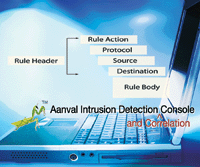
 Extrusion Detection with Aanval and Bleeding Edge Snort Extrusion Detection with Aanval and Bleeding Edge Snort
Russ McRee
Spyware, instant messaging (IM), and peer-to-peer (P2P) networking are perhaps the most prominent issues in
securing enterprise computing environments. The risks are plentiful and include
potential loss of confidential data, trojans, and backdoor entry points. This article
will explain how to use Aanval to minimize those risks on your network. Aanval is
an excellent Snort console from Remote Assessment and includes Bleeding Edge Snort
rules designed to readily identify traffic of concern.
I won't cover installing Snort
in this article except to say that you need to be running snort-mysql as there is
a heavy MySQL dependency for this project. However, I will cover Aanval in more
detail. According to their Web site, Aanval is a data management and analysis console
designed specifically for Snort and syslog data. For the purposes of this article,
our interest is purely Snort and specifically the use of Bleeding Snort rules. Aanval
is freely available in a version limited to one Snort/syslog sensor and one user
or can be licensed per additional sensor very inexpensively, particularly for the
power it offers. Aanval also recently added a fully integrated event management
and attack data correlation engine and reporting is as easy as clicking links in
your browser. Aanval offers a plethora of functionality, including an extensive
query capacity and attractive reporting.
Imagine being able to report to your
management team the current state of your network regarding spyware-infected hosts,
then offering an eradication and protection plan. Perhaps your organization has
banned the use of IM in a policy, or as in my darkest nightmares, a user has installed
the latest Google desktop and is sharing personally identifiable information across
multiple PCs, beyond the scope of your administrative control. In an age of compliance,
it is beneficial to have the capacity to draw the majority of network security information
from one platform. In my use of Aanval I gain as much information about outbound
traffic from spyware and IM as I do from typical inbound threats.
General Server Configuration
While options abound, we'll keep the server
configuration a simple one: httpd, MySQL, and Snort are all on one server. Additional
tools like Barnyard and Oinkmaster are available and offer great benefit, but, for
the sake of this article, I'll focus on malware and policy violation detection
rather than server configuration.
Snort
Let's begin with Snort. I'll assume
you're familiar with Snort installations and may already be using an BASE console
or something similar. If you're new to Snort, utilize Patrick Harper's
install doc at http://internetsecurityguru.com/. Follow the how-to's standard
right up page 13 where he begins to describe BASE installation. Not to knock the
venerable BASE, but we're going to significantly surpass its capabilities with
Aanval.
The most important variable in your
Snort installation is this: ./configure --with-mysql make, make install. Without
the --with-mysql parameter this effort is for naught. If you are using BASE, keep
in mind that BASE uses its own DB structure that it writes to the Snort DB. It has
been my experience that these tables don't play well with Aanval, so I suggest
a fresh, previously unmodified Snort DB for this process.
Bleeding Edge Snort
Key ingredients in this mix are the Bleeding Edge
Snort rules. Easily attainable from http://bleedingsnort.com/, these rules are updated
regularly. They're divided into individual rulesets such as malware or P2P.
For this use, however, I highly recommend using bleeding-all.rules, which compiles
them all into one set. Simply, it's easier to manage in one file as it minimizes
rule-set entries in your snort.conf. Perhaps you're an Oinkmaster user, as
I am, but I update Bleeding Edge rules a bit differently. Oinkmaster requires a
.tar.gz file, and the bleeding-all.rules file doesn't conform. Plus, the .tar.gz
rule set will break the rules out into all their categories rather than the monolithic
file. I grab it manually like this:
cd /etc/snort/rules
wget http://www.bleedingsnort.com/bleeding-all.rules
There are occasions when a rule may hang up Snort
due to a missing variable or a typo. To test that all things Snort will run smoothly,
enter:
/usr/local/bin/snort -c /etc/snort/snort.conf -i eth1 -v
If all is well, signatures will begin
to roll by after initialization. If not, you'll get an error message, perhaps
like:
ERROR: Undefined variable name: \
  (/etc/snort/rules/bleeding-all.rules:2533): SSH_PORTS
This tells you to go to line 2533 of the bleeding-all.rules
file and address the issue. You could define the variable or comment out the error-causing
line. Repeat the process until all is working satisfactorily. After you've
confirmed that your configuration is in working order, start Snort in daemon mode:
/usr/local/bin/snort -c /etc/snort/snort.conf -i eth1 -g snort -D
Run ps aux | grep snort and be sure you see something
along the lines of:
root 28293  9.2  8.6  93716 88960 ? Ss   13:56   0:11 \
  /usr/local/bin/snort -c /etc/snort/snort.conf -i eth1 -g snort -D
indicating a running Snort daemon.
Install Aanval
For purposes of brevity, I'll describe the
quick install process. That said, I recommend that you read the complete guide here:
http://www.aanval.com/downloads/aanval_installation_v1.pdf
Remote Assessment has made Aanval's installation
process straightforward. Default system settings are such that you can quickly get
the console up and running and configure various options after installation. Their
installation documentation again assumes you have Snort configured, working appropriately,
and writing to a MySQL database. Ideally, before installation you need to create
a MySQL database for Aanval and give the user the following privileges to the new
Aanval database as well as to your Snort database if applicable: SELECT, INSERT, DELETE, UPDATE, ALTER, DROP, TRUNCATE (the installation will test these to ensure
they are working before installation). Following is a quick checklist for the rest
of the steps:
1. Download the latest stable Aanval
release and untar/unzip in /var/www or a directory of your choice.
2. Point your Web browser at the Web
directory /var/www/aanval and follow the Web browser installation instructions to
install Aanval. After following the installation steps, log in and follow the console
background processing startup steps. If MySQL was properly configured, you'll
pass through five installation phases with green success indicators along the way.
3. Remember to change the admin account
name and password immediately.
4. Follow the Snort Module Configuration
steps and use the menu system in the upper-right portion of your Aanval Console.
Using the Aanval menu, go to the Optional Modules -> Snort IDS Module. You'll
need the Snort database name, username, password, and hostname that Aanval will
use to connect to your Snort database. Enter the correct information and select
"Update". If you've entered the information correctly, the red text
will be removed. Click the Enable Snort button to activate the module.
5. Consider the use of the Sensor Management
Tools (SMT). While not imperative, the SMTs offer additional signature management
options and statistics as well as sensor heartbeats and communications. Again, refer
to the above-mentioned install doc for further details.
Basic Aanval Usage
Once your console is installed, you'll likely
want to immediately survey your network. Perhaps the most essential tool Aanval
offers is the Go! Search Box. Typically found in the upper right-hand corner of
your browser pane, the Go! Search Box is unquestionably the portal to Aanval's
power. We'll consider three queries in this article. You'll likely use
many more immediately, once you start using Aanval regularly. Syntax for a number
of queries can be found by clicking help next to the Go! Search Box. We'll
use report:malware, report:chat, and report:p2p to take a look at scenarios that
security analysts must battle on a daily basis -- spyware in the enterprise
and corporate policy violations at the hands of IM and P2P.
A Quick Snort Rule Overview
Snort, originally created by Martin Roesch, is
powerfully flexible in its ruleset. A visual representation of a Snort rule looks
like Figure 1.
With our visual reference in mind,
let's use a very simple rule -- one that might be used to enforce a no
telnet policy in your organization: alert tcp any 23 <> any 23 (msg:"TELNET
Viewable Session"; session:printable;) Using Roesch's Writing Snort Rules as
our reference, alert indicates our rule action (in this case, to alert as opposed
to log or pass). any 23 represents our source address and port while <> denotes
a bi-directional operator that tells Snort to review address/port pairs in both
ingress and egress traffic. The second any 23 pair corresponds to our destination
address and port. Finally, in parentheses enclosing the rule body, we find the message (msg) returned to our console, namely TELNET Viewable Session. session:printable defines that we should be alerted with data that users can see or type.
Identifying Spyware with Aanval and Snort
In the Go! Search Box I enter report:malware and
learn that last week's spyware-eradication effort must have missed a couple
of hosts that had been offline during the sweep, perhaps laptops or PCs with vacationing
users. My query results are shown in Figure 2.
Keep in mind, that for brevity's
sake I've shown only a third of the query results, as you will also see source
and destination IP addresses and ports as well as multiple pie charts. You may also
want to try report:trojan and report:spyware as each will yield slightly different
results when hunting spyware.
We see that one of our returns is BLEEDING-EDGE
Malware Searchfeed.com Spyware 1. Matt Jonkman, cofounder of Bleeding Snort, writes
many rules in this tremendous community effort. (See his article on page 20 of this
issue.) His is the rule we'll review for the above event:
alert tcp $HOME_NET any -> $EXTERNAL_NET $HTTP_PORTS \
  (msg: "BLEEDING-EDGE Malware Searchfeed.com Spyware 1"; flow:
to_server, established; uricontent:"/rd/Clk.jsp"; \
  reference:url,www.searchfeed.com; classtype: trojan-activity;
sid: 2002296; rev:2; )
Simple and elegant in its approach, it breaks
down like this -- our rule action is to alert on tcp traffic from our home network
to external sites as controlled by the variables $HOME_NET and $EXTERNAL_NET defined in our snort.conf file. Our protocols are any outbound, specifically to
defined HTTP ports, again managed by the $HTTP_PORTS variable in snort.conf.
The message returned to our console is obviously BLEEDING-EDGE Malware Searchfeed.com
Spyware 1 while the rest of the rule body tells us it's specifically looking
for any URI content containing /rd/Clk.jsp. Further querying will show us more.
Simply feeding searchfeed into the Go! Search Box yields Figure 3.
IP addresses have been obfuscated to
ensure privacy, but note that you have the option to drill down into the actual
payload for further analysis. This is especially useful when monitoring more critical
events like worm traffic. The view in Figure 3 will show you some of the payload,
but clicking the inverted orange arrow will result in the entire payload, including
the hex. Once you've identified spyware emanating from a particular host, you
can target it for eradication in whatever manner your organization employs.
Identifying Instant Messaging with Aanval and Snort
One of the most prevalent concerns in enterprise
computing centers is controlling instant messaging (IM). I'm not writing here
to oppose or advocate IM; my interest is purely awareness. However, as a security
professional, I cannot stress enough the importance of understanding the risks IM
pose to your networks. In a world befitting of my rule-centric, paranoid brain,
let's imagine we working in an environment where IM is simply not allowed,
period. That makes our jobs easier; if it shows up in the Aanval console, we know
we have an issue.
To see what sort of IM traffic may
be flying around your network, type report:chat in the search window of your Aanval
console and click Go. Depending on your network, you might see a number of different
events in the Event Details pane, including generic CHAT rules found in the standard
Snort rule set. But, since we're focused on the bleeding edge here, let's
zoom in on BLEEDING-EDGE CHAT Yahoo IM successful logon. You can simply highlight
an event like that above, copy, and paste it into the Search box and click Go. The
results should look like Figure 4.
Again, the IP addresses have been obfuscated
to ensure privacy, but rest assured that the left address is that of the IM server
and the right address is the destination host in your network. Keep in mind that
you can easily intercept IM content, so be very clear about your organization's
privacy policies. If you haven't already, immediately implement a logon banner
stating that use of your organization's PCs indicates acceptance of monitoring.
Here's Joel Esler's rule
that returned the above alert:
alert tcp $EXTERNAL_NET any -> $HOME_NET any (msg: \
  "BLEEDING-EDGE CHAT Yahoo IM successful logon"; flow: from_server,
established; content:"YMSG"; nocase; depth: 4; \
  content:"|00 01|"; offset: 10; depth: 2; classtype: policy-violation;
sid:2001253; rev:3; )
Broken down, the action is to alert tcp traffic
from the source address and protocol, controlled by the $EXTERNAL_NET variable
to the destination address controlled by the $HOME_NET variable. We see some
new parameters in the rule body that are more involved than our spyware example:
1. flow is used in conjunction with
TCP stream reassembly.
2. The first content reference should
make perfect sense: look for YMSG, and nocase makes search-case insensitive.
3. offset is a content rule option
modifier. In this case, the offset is 10 bytes deep into the payload to avoid searching
too early where relevant content may never be found.
4. depth is also a content rule option
modifier. To quote Martin Roesch, "It is useful for limiting the pattern match
function from performing inefficient searches once the possible search region for
a given set of content has been exceeded." So, offset protects the rule from
firing too early, and depth too late. These are excellent efficiency options. content:"|00
01|"; allows the rule to capture specific bytecode good for describing complex binary
data as hexadecimal numbers.
As a whole, this rule tightens the
search to guarantee an accurate result when a user logs on to Yahoo Messenger. Once
identified, your policy enforcement mechanisms can engage to thwart the risk.
Identifying P2P with Aanval and Snort
While spyware and IM signatures may stay fairly
stable, you can count on P2P networks changing fairly regularly to avoid detection.
Port numbers are the most likely candidate for change so you'll often see Bleeding
Edge rules defined with alert udp $HOME_NET 1024:65535 -> $EXTERNAL_NET
1024:65535 to capture all traffic above well-known ports. The Aanval Go! Search
Box feature will again allow you a number of options. You could query report:p2p for a general search or drop kazaa, limewire, or morpheus straight in for specific
results.
One of the benefits of identifying
P2P traffic with Aanval is the two birds/one stone scenario. P2P has obvious risks
in and of itself, but its installation on an end-user PC will inevitably result
in the installation of spyware included in the installer package.
One last option seen in some Bleeding
Snort rules that can be quite useful can be found it this rule by Marcamone:
alert tcp $HOME_NET any -> $EXTERNAL_NET any (msg: \
  "BLEEDING-EDGE P2P Ares GET"; flow: established; content:"ares";
nocase; pcre:"/(GET |GET (http|https)\:\/\/[-0-9a-z.]*)\/ares\//i"; \
  reference:url,www.aresgalaxy.org; classtype:
policy-violation; sid: 2001060; rev:6; )
The pcre option takes advantage of Perl-compatible
regular expressions. Quoting pcre.org, "the PCRE library is a set of functions
that implement regular expression pattern matching using the same syntax and semantics
as Perl 5." This is quite useful in a Snort rule to capture all possible variations
of specific content, in this case, ares. If you used Patrick Harper's install
doc at http://internetsecurityguru.com/, you're already benefiting from PCRE.
Summary
This article certainly evangelizes Aanval, largely
from a technical end-user perspective, but most importantly from the perspective
of practicing information security. Using Aanval for detection, compliance measurement,
and policy enforcement will undoubtedly aid you in protecting you network from spyware,
IM, and P2P networks. Use it in good stead and stay vigilant.
References
Aanval Installation pdf -- http://www.aanval.com/downloads/aanval_installation_v1.pdf
Beale, Jay et al. Snort Intrusion Detection, 2004. Syngress
Faultersack, Elizabeth. "Understanding and Writing Snort
Signatures." Idaho National Engineering and Environmental Laboratory -- http://cio.doe.gov/Conferences/Security/Presentations/FaultersackL.pps
Roesch, Martin. "Writing Snort Rules: How To Write Snort
Rules and Keep Your Sanity" -- http://packetstormsecurity.org/papers/IDS/snort_rules.htm
Russ McRee, GCIH, is an information security architect
in Seattle, Washington. He offers this article on behalf of the Cyber Conflicts
Studies Association, a non-profit promoting diversified research and intellectual
development in the cyber conflict field. He thanks his family and co-workers for
their support. Russ can be contacted at: russ@holisticinfosec.org.
|