 Automatic
Program Generation with MySQL and PHP Automatic
Program Generation with MySQL and PHP
Dick Munroe
It's all about leverage. During the most recent presidential election,
I found myself "between engagements" and decided to go to Florida
and work for the Kerry campaign. After spending three days with
another volunteer building PCs and installing networks for the Florida
Democratic Party headquarters and the north Florida offices, I found
myself behind the keyboard building Web applications with the rest
of the IT department. I should qualify that. I was the IT department,
at least the technical staff part of it.
My responsibilities including designing, implementing, and deploying
new Web applications for everything from e-commerce (donations,
etc.), volunteer and candidate management, and results reporting
and statistical analysis. All this had to be done as inexpensively
as possible.
This article is one part praise for the free software community,
another part discussion of one of the techniques I used to create
applications quickly enough to be useful before the election, and
one part praise for the people who staff state and local political
offices. It's a tough job; they don't get paid much, and most of
them do it out of the sheer hope that something better will result
from the process.
The Computing Environment
What I did, mostly, for the Florida Democratic Party was to grind
out Web applications. At the state and local level of political
parties, cost is everything, and in the Unix environment, the free
software movement has provided most generously. When I arrived,
the principal Web development tools were MySQL and PHP used to deploy
content from an Apache Web server running on FreeBSD.
MySQL is an SQL-compliant database capable of scaling smoothly
from very small to very large data stores, supporting transactions
and queries over the Internet, etc. It's free, very well supported,
and performs well. We used it in every Web application deployed
during my work with the FDP.
PHP (Personal Home Page) is yet another "Swiss army knife" language
for developing Web pages. PHP version 4 is basically a third-generation
programming language with object-oriented extensions allowing inheritance,
polymorphism, and introspection. PHP also has an extension interface,
and extensions (dynamically linked libraries) to the language have
been written for everything from graphics to database interfaces.
The FDP used PHP 4. Since the election, PHP 5 has been released
with significantly improved object-oriented capabilities. All the
work discussed here is implemented in PHP 4 and easily ported to
PHP 5.
A full discussion of Apache and FreeBSD is beyond the scope of
this article. However none of the work we did was specific to either
Apache or FreeBSD. All that was needed was a server capable of running
PHP and a platform that allowed integration of PHP with a Web server
and communication with a MySQL server. Technically speaking, the
server running Apache didn't need to be capable of running MySQL,
but it was convenient that it could.
Each application at the FDP required the design of one or more
tables in the FDP primary database. MySQL is pretty easy to deal
with when doing rapid, interactive database design, and initially
that's what we did. Eventually, we started using a terrific MySQL-specific
database design and maintenance tool called phpMyAdmin. All the
database table examples and figures for this article were created
using phpMyAdmin. If you're going to be responsible for any aspect
of MySQL database administration, phpMyAdmin is a must.
The development workstations were all Windows boxes running Windows/2000.
It's not my favorite platform, but all the hardware, and I do mean
all, was donated and workstations were constructed from whatever
parts could be salvaged. Fortunately, there are free (or at least
inexpensive) editors with language-specific extensions for the Windows
environment. I also downloaded Cygwin (a Unix CLI layer for Windows)
and used EMACS and other standard Unix tools for development on
the Windows box.
Application Development at the FDP
The first job I tackled was fixing up an application written by
a couple of college student volunteers doing volunteer management.
The overall structure of the volunteer management application was
done as follows:
[Present data to the user]
- Get data from the user
- Validate user data
- Store/Update using MySQL
Each "layer" of the application was done in an ad hoc manner.
Each page of the application basically duplicated whatever code
was needed to interact with the user, the database, data validation,
etc. An enormous amount of the code written for this application
dealt with the interface to the MySQL database. Starting sessions,
validating data, storing or updating data, and closing sessions
were all coded explicitly. No attempt had been made to factor out
the database access details into a separate function library or
class, and the quantity of the code dedicated to dealing with the
database obscured the details of the application under development,
making it a lot harder to extend. Eventually, I finished this task
and moved on to the next.
Accepting Donations
The next application was for accepting donations. The details
of the application aren't important; what is important is another
Web-enabled database application similar in kind, if not in detail,
to the volunteer management application.
Given what I had seen in the volunteer management application,
I wanted to come up with a more general view of the FDP's Web-enabled
applications and then use that view to drive the creation of tools
that would make it easy to implement those applications. After some
thought, I realized that most of the applications used regularly
by the FDP could be modeled as follows:
- [Query MySQL Database]
- Display data to the user
- Collect data from the user
- Organize collected data
- Validate collected data
- Store/Update data in MySQL
Overall, an application should do the following:
- If data were being changed, one or more queries would be made
to the appropriate database.
- Data (if any) would be displayed to the user.
- Data would be collected from the user.
- Data would be organized in structures making it simple for
validation and eventual storing into the appropriate database
tables.
- Data would be validated and any additional interactions with
the user would be done to correct any errors.
- Data would be stored or updated in the MySQL database.
Given that data was being stored in a MySQL database, I thought
the underlying data abstractions should closely model the relational
storage model (i.e., tables) while making the usual sorts of queries
done by the applications easy and not prohibiting the writing of
substantially more complex queries. Ideally, most of the "what data
needs to be read/written" from the database would be "automagically"
determined so that the applications could say things like "update
the data" and the correct action would occur.
Clearly the place to start was a decent database abstraction layer
that hid most of the tedious details of dealing with MySQL, while
not overly restricting access to MySQL's lower-level features. This
problem has been solved many times in the past, and a quick Google
search turned phpclasses.org, an enormously useful site if you're
into PHP programming.
The phpclasses.org site is dedicated solely to the collection
and distribution of PHP class libraries. The code distributed by
the site comes from all over the world and varies in purpose from
the sublime to the ridiculous and in quality from completely professional
to totally amateur. I've saved myself a lot of time and my clients
a lot of money by using things I've found there either in whole
or in part. If you're doing any serious PHP software development,
you owe it to yourself to join phpclasses.org. It is free, but donations
are accepted.
On phpclasses.org, I found the DB class. DB provided an object-oriented
interface to MySQL. Note that I didn't care that the only database
supported was MySQL. The FDP had standardized on a Linux, Apache,
MySQL, PHP (a.k.a. "LAMP" or LAMP-like anyway since the platform
was actually FreeBSD) environment so portability was not of immediate
concern. One reason I chose the DB class was that, if necessary,
DB could be ported easily to support other databases.
This solved the problem of cleaning up the tedium of accessing
the database but did not address the problem of a general database
table-oriented data collection that could easily interact with any
database. Thus, I designed and wrote the SQLData class. This class
has evolved over time, but basically it does the following:
- Associates an instance of the class with a specific table in
a database.
- Is organized so that data to be stored in or fetched from the
database can be manipulated by the name of the field.
- Tracks the state of data in the instance, so that minimal updates
can be automatically performed.
- Provides iterators so that loops processing entire tables can
be easily written.
- Provides hooks for structuring data as arrays or object, potentially
arrays or objects stored in other tables.
After designing the table for the donations application, I began
the coding process. The table design for the donations application
is shown in Figure 1. It's pretty straightforward, with much of
the complexity resulting from the e-commerce interface rather than
anything fundamental in the nature of the problem of donating money.
For every field defined in the table, we wanted a way to access,
modify, and store the field's data. Even using SQLData, I had a
lot of work to do. Each field needed a read/modify interface (plus
additional ones that came in handy later, like controlling the "dirty"
state of fields). This involved a lot of error-prone typing. Much
of the work also looked to be "cut and paste", so I thought maybe
I could get a computer to do it.
One of the greatest things about the architecture of SQL databases
is that the meta-data, the data describing the database and its
content, is stored in an SQL database. Simple queries with results
like those shown in Figure 2 allow easy introspection of the tables
in the database and the contents of those tables. Given that the
meta-data is available to programs in general and to PHP in particular,
it becomes relatively easy to write programs to process database
table structures in a very general fashion. Table names, fields
within tables, data types of fields, use of fields as keys, etc.
are all available for processing.
Once I realized that this data was available, I quickly designed
and wrote a simple PHP program to generate classes from the meta-data
of a MySQL table. A day later, I had a program, buildClass.php,
which reads the meta-data of a MySQL table in a database and emits
a class derived from SQLData, which provides the framework for manipulating
data within a single table of a database. Listing 1 is a partial
listing of the generated class. Here is an explanation of the numbered
sections of the listing.
1. The various underlying components of the application generation,
in particular the SQLData class from which all specific table classes
are derived and the Structured Data Dumper class that is used. To
make the code generated by the programs referred to here, SQLData
and SDD must be installed in your PHP include path. See the PHP
documentation for details.
2. Every table-specific class is derived from SQLData, a class
supporting generic table data storage and updating. Essentially,
the table-specific classes are convenience classes to make dealing
with specific tables easier. Note that the first character of the
table name is in uppercase to make the class name.
3. This provides the binding between this class and the underlying
MySQL table.
4. The constructor for the table-specific class. Because the table
name is wired into the class, the remainder of the MySQL database
access information must be provided when the class is instantiated.
No data-oriented constructors are provided, because most of the
table-specific class data initialization occurs either as a side
effect of accessing the table through the underlying SQLData interfaces
or from interactions with a user through Web forms.
5. The set* member functions set the named field to a value and
note that the value is now "dirty" and should be flushed to the
database when the next update or insert operation is issued. A set*
member function will be created for each field in the table meta-data.
6. The get* member functions get the named field value and return
it to the caller. A get* member function will be created for each
field in the table meta-data.
7. The init* member functions are the same as set* functions,
but the data is not set as "dirty" and will not be flushed to the
database when the next update or insert operation is issued. An
init* member function will be created for each field in the table
meta-data.
8. The un_set* member fu nctions delete data for a field from
the underlying SQLData class. Once deleted, the field data is no
longer considered in insert or update operations. An un_set* member
function will be created for each field in the table meta-data.
9. The is_set* member functions are predicates returning true
if the field has data in the underlying SQLData class. Data is stored
for a field using either the set* or init* member functions. An
is_set* member function will be created for each field in the table
meta-data.
10. The insert and update member functions (available via SQLData)
both take an optional selector to indicate which record in the table
should be modified. For properly designed tables with keys, it is
generally possible to provide a set of default selectors, depending
upon which keys in the table currently have data associated with
them, to be used when a selector is not provided. The needUpdateSelector
member function is overridden when possible to provide the default
selectors.
11. For tables with indices that are auto_increment fields (see
Figure 2), the auto_increment fields are updated automatically by
MySQL after an insert operation has succeeded. The insert member
function is overridden as necessary to make sure that the value
of the auto_increment index is maintained when a new row is inserted
in the table.
12. Last, but not least, debugging. The print_r member function
dumps the content of the object (and its base objects) in a structured
format that makes it easy (or at least possible) to see what's happening
within the table-specific object. If the execution environment is
a Web server, then the data is dumped into HTML format.
This process simplified the job of developing the donations application
enormously, and I then began building the user interface that would
use the mechanically generated table class.
Data Collection and Validation
Very shortly, it became clear that the user interface was a problem
similar to that of the table classes (i.e., there were one or more
tables for which forms had to be generated). Furthermore, the data
was to be syntactically and semantically verified, any errors were
to be corrected by further interactions with the user, and the data
stored in the appropriate tables in the MySQL database. Because
I had a pattern for generating executable "stuff" from MySQL meta-data,
I decided to see what, if anything, could be done to generate rough
drafts of the forms necessary to collect data to be stored in the
necessary table.
To keep the collected data from corrupting the tables (garbage-in,
garbage-out applies here), the collected data had to be verified.
I partitioned the data verification into two distinct types:
Verification could be done in two places, the client or the server.
To improve responsiveness, syntactic validation using JavaScript
(now EMACScript) is done at the client (i.e., the Web browser and
semantic validation at the server).
Examples of syntactic validation are:
- Zip codes must contain only digits and hyphens and can be either
of Zip (01234) or Zip+4 (01234-5678) format.
- Telephone numbers must be digits and must be 10 digits long.
- Required files must be non-blank.
Occasionally, there would be a field that implied that others
would no longer be optional, and I defined those to belong to syntactic
verification.
I defined semantic validation to be "checking that data is meaningful
in a given context". Examples are:
- Is the county or state name real?
- Does the city exist?
- Is the credit card number valid?
Basically, semantic verification answers the question "does the
data represent reality" in the context of the application. In many
cases, semantic validation can be built in by restricting the input
values to a particular range (i.e., forcing the user to select from
a list of values such as county or state names).
So, there were three additional pieces to be examined for automation
opportunities:
- User Interface
- Syntactic validation
- Semantic validation
User Interface
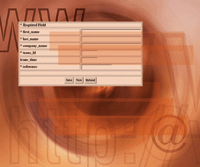
As shown in Figure 2, the table meta-data has the basics, field
name, data type, size of data, and whether data is required (not
null). Given this information, it was easy to write another program
much like the buildClass.php program to construct a simple user
interface using HTML forms to display and capture data and to link
that interface to the client-side syntactic validation framework
and the server-side semantic validation. Figure 3 has been edited
for space reasons and shows part of the user interface generated
for the Example table.
It is important to remember that my goal for the FDP was not to
produce a completely polished and fully functional Web application
solely from MySQL meta-data. It was only to produce something that,
with not much effort, could be turned into a polished functional
Web application.
A quick look at the HTML generated by buildForm.php (Listing 2)
is instructive. Here is an explanation of that listing:
1. These are the hooks to the "syntactic validation framework",
discussed more fully in the next section. Unless buildSyntacticValidation.php
has been run before buildForm.php, the JavaScript components of
the syntactic validation will not be included.
2. This is where the syntactic validation framework is actually
invoked. When a Submit button is clicked, the onSubmit code is called,
and the form is not actually submitted unless or until all syntactic
errors have been corrected. If buildSyntacticValication.php has
not been run, the onSubmit code is omitted and no syntactic validation
will be done.
3. Another hook for the syntactic validation framework. This row
is where the error information (if any) will be displayed by the
framework.
4. This is a typical required form field. Validation for the field
is provided by the validation attribute. Note the required attribute
for required fields is non-null.
5. This is a typical optional form field. Validation is still
required (the validation always succeeds by default) and is done
for consistency. Note that the required attribute is the null string
for optional fields.
6. The action portion of the user interface. Save causes the captured
data to be [optionally] syntactically validated and sent to the
server for further processing. New clears the form and starts the
data capture process over. Reload discards any data changes and
starts the data capture process over.
Syntactic Validation
The syntactic validation requires JavaScript (now known as ECMAScript).
Most modern browsers support JavaScript, so this requirement isn't
all that restrictive, excluding text-only browsers such as lynx
or links. It relies on the Document Object Model (DOM) as defined
by the World Wide Web Consortium.
This gets a little more troublesome because Microsoft's Internet
Explorer, in particular, is not very compliant with the DOM. It
was possible to design an adequate browser-independent framework
providing primitives to handle collection and displaying of error
data, validation of required fields, and a driver to validate a
form upon submission.
Since my goal was to generate most, but not all, of a Web-enabled
application automatically, the validation hooks had to be associated
with the individual fields rather than be generated monolithically.
Furthermore, not every form would necessarily need syntactic validation.
This is handled by running (or not running) buildSyntacticValidation.php.
This program generates the JavaScript routines to do the syntactic
validation for each field in the form. If buildSyntacticValidation.php
is not run, when the form is generated by buildForm.php no syntactic
validation will occur at the time the form is submitted.
The syntactic validation framework is provided in a separate JavaScript
file, syntacticValidationFramework.js (available from the Sys
Admin Web site: http://www.sysadminmag.com/code/). Understanding
the details of the DOM that allow the framework to work is left
as an exercise for the reader.
Listing 3 shows the hook between the user interface (form) and
the syntactic validation framework. The onSubmit action is taken
when a submit button is clicked. A pointer to the form object requiring
validation is passed to the framework and the contents of the form
used to determine which validation needs to be done. If the validation
framework returns false, the form's data is not sent to the server.
The Document Object Model requires all attributes of a tag to
be represented. This means that the page designer can put anything
into an arbitrarily named attribute. Each field to be validated
must have a unique id, an indication of whether the field is required,
and a pointer to the routine to be used to validate the field's
contents.
Listing 4 shows a typical input tag with the hooks for the syntactic
validation framework. Here is a quick explanation of the listing:
1. The name of the field received by the server during semantic
validation and processing.
2. The unique id of the field. By convention, it is always the
same as the name field. The DOM interface is most easily used if
each tag has an id by which the field can be found.
3. If the field in the database must have a value, the required
field must be non-null and must contain the message to be presented
to the user should the contents of the field be omitted.
4. Invocation of the validation framework routine for the field.
BuildSyntacticValidation.php generates a JavaScript routine identical
in all but name for each field in the user interface. The validation
framework calls the validation routines with a pointer to the field
to be validated. Each validation routine must return either false
(validation failed) or true (validation succeeded) and prepare any
error text to be displayed at the end of validation.
The current syntactic validation framework can be easily modified
to fit a variety of error reporting and interaction styles without
modification to any of the generation code. Or, something completely
different can be written to meet site-specific requirements. After
all, the generating code is in the public domain.
Semantic Validation
The data hits the database in semantic validation. Assuming that
the form passes syntactic validation when the user presses the Save
(Submit) button, the contents of the form are sent via HTTP to the
server. For the purposes of the FDP, semantic validation basically
took the data from the form and put it in the databases.
The semantic validation code is generated by buildProcessForm.php.
The semantic validation actually doesn't happen by default. As generated
by buildProcessForm.php, data was either inserted into or updated
in the database and then control returned to the user for further
work. Any semantic validation was considered custom code to be written
by hand. This is consistent with my goal of generating most but
not all of the application.
The Complete Process
I have cleaned up the application generation code somewhat for
this article, so while all these pieces happened, they didn't happen
as distinctly as I describe here.
At this point in the process, we had a set of tools that allowed
the FDP applications to follow a very well-defined, data-driven
software development process. All of these tools were either free
software, shareware, or easily developed in-house. The tools and
process were:
1. (phpMyAdmin) -- Design the database schema for the application.
Database design was frequently a group interactive event, starting
on a blackboard and quickly moving to a Web browser or terminal.
Only one database design only took more than an hour from discussion
to completed design.
2. (buildDatabaseConf.php) -- Generate the configuration file
containing the information necessary to access the MySQL database.
3. (buildClass.php) -- Create the PHP class to make it easier
to manipulate the data. All the PHP code generated by the build*
programs use the generated class.
4. (buildSyntacticValidation) -- Create the individual field validation
routines for the syntactic validation framework.
5. (buildForm) -- Create the user interface.
6. (buildProcessForm) -- Create the PHP code to store/update data
in the database.
7. (Apache, FreeBSD) -- Install the generated application on the
development Web server.
8. (Netscape, Internet Explorer, MySQL) -- Test the user interface/database
interaction.
9. (emacs, UltraEdit, Putty, WinSCP) -- Modify the generated application
to fully function and integrate with the production FDP Web site.
With these tools, we could go from the completion of a database
design to a prototype application in a matter of minutes.
Conclusion
The techniques associated with automatic program generation are
well understood and widely used in many application generators on
any number of platforms. The general case is extremely difficult
to solve, even if the problem is restricted to simple Web pages
with a database as a backing store. I'm working on more general
versions of the tools I developed for the FDP, but progress is slow
at the moment, with clients and other interests interfering with
the process.
My goal at the FDP was to do most of the work, and I spent a few
days writing tools that would make turning out finished applications
much faster and easier. Experience showed that 80% or so of the
finished application could be automatically generated. Finished
applications, fully integrated with the production FDP Web site,
were frequently produced in a day with the vast majority completed
in less than two days. In all likelihood, similar productivity levels
can be achieved elsewhere with site-specific versions of the tools
described here.
All code developed for the FDP discussed in this paper is available
from:
http://www.phpclasses.org
You will have to join phpclasses.org to download the code, but the
membership is free.
PHP is available from:
http://www.php.net
MySQL is available from:
http://www.mysql.com.
These tools can be built and run on Unix, Linux, and Windows platforms.
If you want a Unix-like environment for your Windows box, Cygwin
is available from:
http://www.cygwin.com
If you're going to do any serious MySQL database development, phpMyAdmin
is a must and can be downloaded from:
http://www.phpMyAdmin.org.
All of these are free software.
Acknowledgements
I thank Chris Sands, the director of IT for the Florida Democratic
Party, for permission to publish this work. Many thanks to all the
folks who supported the FDP during the 2004 campaign; lots of nights
wouldn't have been possible without the free Diet Coke and junk
food. I also thank Manuel Lemos, the creator of http://www.phpclasses.org.
My job at the FDP would have been substantially more difficult if
his site didn't exist. And, last but definitely not least, thanks
to the many unnamed developers who have created so much fine software
and put it into the public domain, particularly those folks who
have contributed to PHP, MySQL, Apache, Cygwin, and FreeBSD. Without
those tools, the work we did in Florida would have been impossible.
Dick Munroe is a software engineer, architect, and consultant
with nearly 40 years of software and project experience ranging
from the sublime to the ridiculous. He grinds code and wood from
his offices at Cottage Software Works in Belmont, Massachusetts,
Havana, Florida, and Guanaja, Honduras. When playing he can frequently
be found at the top of mountains wondering whether they will find
the pieces come springtime, or deep in the water worrying whether
that shark is really as hungry as it looks. If you need more information
about the work described herein or just want to touch base, contact
the author at: munroe@csworks.com. |